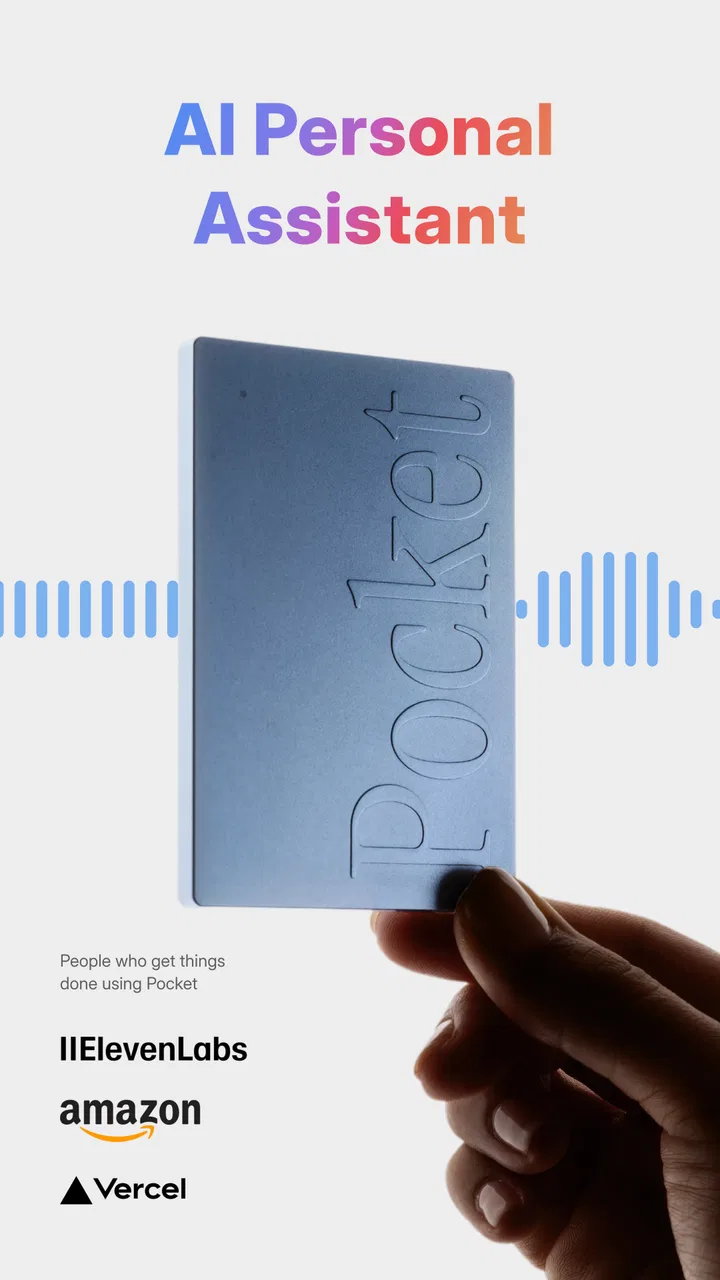
Pocket - AI Personal Assistant
- 4.8
- Rating
- 50.00K
- Installs
- Free
- Price

 Analysis by App-foxy
I usually judge a productivity app by what happens after the first impressive demonstration. Can it help me remember what matters, turn scattered thoughts into something usable, and fit into a routine without creating another pile of unfinished notes? Pocket - AI Personal Assistant is built around that practical problem. It is a free productivity app from OpenVisionEngineering, designed for meetings, ideas, transcripts, and action items, and its appeal is easy to understand: it aims to keep the important parts of a busy day from disappearing into memory, chat threads, or random scraps of paper.
My experience with this kind of tool is that the technology is only half the solution. The other half is deciding when to capture information, how to review it, and what to do with the results. Pocket works best when I treat it as one part of a sustainable system rather than as an automatic replacement for planning. It can make raw information easier to handle, but I still need to check the output, choose priorities, and follow through.
The app has a 4.8 average from around 2.1 thousand ratings, with more than 50 thousand installs. Those figures suggest that it has already found an audience despite being relatively new, and its current version is 0.6.76. I would describe it as an assistant for reducing friction around information, not as a complete task manager or a magical productivity coach.
You May Also Like

 Pandora - Music & Podcasts
Pandora’s Music Is Easy to Start, but Harder to Recover
Pandora’s strength is its low-effort path from a seed to a station. Its weak spot is how much confidence it asks you to place in connection, setup, and quiet recovery.

 8 Ball Pool
 Is Built on Rivalries, Rematches, and Routine
A close look at the rivalries, rematches, shared routines, and unanswered safety questions that turn a quick pool match into a persistent mobile community.

 Samsung Music
’s Quiet Strength Is Playing What You Already Own
Its reach comes less from spectacle than from dependable access to a personal library. That simplicity is both the app’s strongest retention engine and its ceiling.

 AccuWeather: Weather Radar
AccuWeather Review: A Quick, Clear Forecast for Everyday Decisions
For everyday plans, the best forecast is the one you can understand quickly. AccuWeather makes rain timing, radar, and local conditions easy to act on, with a few trade-offs.

 Hill Climb Racing
Why Hill Climb Racing Still Turns Crashes Into One More Run
A tiny car, a bumpy hill and one more upgrade: Hill Climb Racing keeps resurfacing because its simple chaos makes every near-miss feel personal.

 AliExpress - Shopping App
AliExpress Makes Global Shopping Feel Personal, but Shoppers Bear the Risk
AliExpress turns a global marketplace into a pocket-sized discovery engine. Its reach is useful, its shopping loop compelling, and its trade-offs easy to miss.
More From Our News Desk
View All News


From scattered notes to a workable daily flow
I’d treat the first step as designing a small handoff: capture a conversation, check the parts that matter while they’re still fresh, then move only verified commitments into the task system I already trust. That keeps a transcript from becoming a destination in itself and makes it easier to notice when an idea needs clarification rather than another reminder. From there, the key question is how that routine holds up during an ordinary, crowded day.
Why the workflow before Pocket matters
Before using an assistant like this, I would first look at where my information currently breaks down. If meeting notes live in one app, voice memos in another, tasks in a third, and ideas remain in my head, the real problem is not a lack of storage. It is the gap between capturing something and deciding what it means. Pocket is most useful when I give it a clear role in that gap.
For me, that role is simple: capture the conversation or thought while it is fresh, let the app help turn it into readable material, then review the result and move only the useful commitments into my normal system. This prevents the assistant from becoming another inbox that I never open. It also keeps the human decision where it belongs. An AI can suggest a summary or an action item, but I am still responsible for deciding whether the action is real, who owns it, and when it should happen.
A realistic example is a project meeting held between other responsibilities. I might begin with a short note about the purpose of the meeting, use Pocket to help preserve the discussion, and later inspect the transcript and action items while the context is still familiar. Instead of trying to remember every detail, I can focus on correcting names, clarifying vague commitments, and separating decisions from general discussion. That is a much more useful outcome than simply having a long block of text.
Capturing meetings without losing the human part
The most obvious use is meeting support, but the valuable part is not merely recording words. A transcript is only helpful if it reduces the effort needed to find decisions, open questions, and next steps. I would use the app with a specific question in mind: what must I know after this conversation, and what needs to happen next?
That mindset changes how I review the result. I do not read a transcript from beginning to end every time. I look for the points that affect my work: a decision that changes the plan, a task that was assigned informally, a dependency that could cause a delay, or a question that nobody answered. Pocket becomes more practical when its output is treated as a working draft rather than a final record.
There is also a useful trade-off here. A detailed transcript can preserve nuance that a short summary might miss, especially when people disagree or use similar terms for different things. At the same time, a transcript can create the illusion of completeness. It may contain every spoken sentence while still failing to show which sentence matters. I would use the transcript for checking context and the action-item view for deciding what deserves attention.
Ideas need a destination, not just a place to land
The same principle applies to ideas. A quick thought is easy to capture and surprisingly easy to abandon. If I dictate an idea while walking or between tasks, I would not expect Pocket alone to turn it into a finished project. Its value is in helping me preserve the thought in a form that I can revisit, compare, and develop later.
One practical workflow is to capture the idea in its natural, messy form, then review it during a scheduled planning session. I can ask myself whether it is an immediate task, a future possibility, a question to research, or something that should be discarded. This small classification step is important because unlimited idea storage can become a burden. The app can help me collect material, but a sustainable system needs regular pruning.
A less obvious benefit is that spoken ideas often contain reasoning that disappears when I reduce them to a short title. Keeping the fuller context can help me remember why an idea seemed worthwhile. The downside is that more context also means more review time. I would therefore avoid capturing every passing thought and reserve the app for ideas with enough potential to deserve a second look.
A repeatable routine makes the assistant useful
I would build Pocket into a routine with three stages: capture, review, and transfer. During a meeting or idea session, the goal is to preserve information with as little interruption as possible. Soon afterward, I would check the transcript or summary while the subject is still familiar. At the end of the day or during a weekly planning block, I would move genuine commitments into the place where I already manage work.
This routine matters more than any single AI feature. Without the review stage, the app can fill up with material that feels productive but does not change my behavior. Without the transfer stage, action items remain trapped inside the assistant. I would also keep the review short and consistent rather than waiting for a perfect free afternoon. Small, regular corrections are easier than a large cleanup session after several busy weeks.
A useful habit is to check each suggested action item against three questions: is it actually an action, is the owner clear, and is the expected result understandable? “Discuss the proposal” may be a reasonable reminder, but it is less useful than a more specific commitment with an obvious outcome. I would not blame the app when an automatically extracted task is vague; that is a signal that the conversation itself may need clearer agreements.
Another good practice is to mark uncertainty instead of pretending the notes are flawless. If a name, deadline, or decision looks questionable, I would verify it before sharing the result. This is especially important when a transcript is being used to communicate with people who were not present. Speed is helpful, but inaccurate certainty can create more work than manual notes would have.
Where the experience can fail
AI-assisted notes are not automatically reliable simply because they are convenient. Accents, overlapping speakers, background noise, specialist vocabulary, and unfinished sentences can all affect the usefulness of a transcript or summary. I would be especially careful with names, numbers, technical terms, and commitments that carry consequences. A polished sentence can still be wrong.
There is also a social limitation. Some meetings depend on trust, and participants may be uncomfortable with an AI assistant being involved. I would make the process clear to the people in the conversation and follow the rules of the setting before relying on the app. Pocket may improve my memory, but it should not override consent, workplace expectations, or the sensitivity of the discussion.
The app can also feel less suitable when I need a mature, deeply structured project-management environment. If my main requirement is dependency tracking, complex team ownership, detailed scheduling, or long-term reporting, a dedicated work-management tool may be a better center of gravity. Pocket can support the thinking and capture around that system, but I would not force it to become something it is not.
Another friction point is the need to review AI output. People who expect a completely hands-off experience may be disappointed. The assistant can reduce typing and help surface useful material, but I still need to correct, interpret, and organize. In my view, that is not a flaw unique to Pocket; it is the basic cost of using automated interpretation responsibly. The time saved comes from reducing the first draft, not from removing judgment altogether.
What the free starting point really means
Pocket is free to install and has an Everyone content rating, which makes it approachable for a broad range of users. However, in-app purchases range from $19.99 to $239.99 per item. I would therefore start by checking which parts of my routine are genuinely useful before committing to any paid option. The right question is not whether an assistant sounds valuable, but whether it saves enough repeated effort in my own meetings and thinking sessions.
That pricing range also makes it worth considering how heavily I intend to depend on the app. A casual user who only wants occasional help with ideas may evaluate it differently from someone who wants it embedded in every working day. I would test the workflow with ordinary, imperfect material rather than with a carefully prepared demonstration. If it handles the situations that normally cause me trouble, then the cost becomes easier to judge in context.
Who should adopt it first
I think Pocket is a strong fit for people who regularly leave meetings with uncertain memories of what was decided. It can also suit students, independent workers, researchers, creators, and anyone who thinks more clearly aloud than while typing. The best candidates are people willing to spend a few minutes reviewing captured material and turning it into concrete next steps.
It is less suitable for someone who wants a silent, traditional notes app with complete manual control. It may also be the wrong choice for users who rarely attend meetings, dislike reviewing transcripts, or already have a reliable capture-and-review process that causes no friction. Adding an AI layer to a system that already works can create complexity without producing a meaningful benefit.
For teams, I would introduce it cautiously rather than making it the unquestioned record of every conversation. Start with low-risk internal discussions, compare the generated material with human notes, and agree on who checks action items. That approach lets the team discover where Pocket helps and where manual clarification remains necessary. It also avoids turning an assistant’s interpretation into an accidental source of conflict.
On Android, the app requires at least version 7.0, so it remains accessible to many older devices. Its developer, OpenVisionEngineering, has positioned it in the productivity space rather than as a narrow meeting recorder, and that broader scope is reflected in the way meetings, ideas, transcripts, and actions connect. I would still keep my expectations practical: the app can improve the path from information to follow-up, but it cannot supply motivation or make unclear work clear by itself.
My recommendation after using it as a system component
I would recommend Pocket to a friend who wants help preserving conversations and spoken ideas, provided that friend is prepared to review the results. The strongest use is not collecting the largest possible amount of information. It is creating a dependable bridge from a live conversation to a small set of verified actions.
My preferred setup would be deliberately modest. Capture only meetings and ideas that have a likely future use, review them soon afterward, correct important details, and move the resulting commitments into a trusted task system. Once a week, I would remove or archive material that no longer deserves attention. This keeps the assistant from becoming a second brain full of unprocessed clutter.
Pocket is most valuable when it shortens the distance between remembering and doing. It offers a convenient way to work with transcripts and action items, and its free entry point makes experimentation easy. The limitations are equally important: automated notes need checking, sensitive conversations require care, and users seeking full project management may need a different primary tool. For people who accept those boundaries, it can become a useful part of a calmer, more repeatable productivity routine rather than another app demanding constant attention.
FAQs for Pocket - AI Personal Assistant
01What is Pocket - AI Personal Assistant, and what can it do?
Pocket - AI Personal Assistant is designed to help with everyday tasks through AI-powered conversations and assistance. Depending on the version and available features, it may help you write or rewrite text, answer questions, summarize information, generate ideas, organize tasks, and provide general guidance. It is best viewed as a productivity companion rather than a replacement for professional advice or human judgment.
02Is Pocket - AI Personal Assistant free to download and use?
The application may be free to download, but some tools, usage limits, advanced AI models, or premium features can require a subscription or in-app purchase. Before signing up, check the pricing page and the store listing carefully, including whether a trial automatically converts into a paid plan. Availability of features and prices may also vary between Android, iOS, and different regions.
03Does Pocket - AI Personal Assistant require an internet connection?
Most AI assistants process requests through online servers, so Pocket will generally need an active internet connection to respond to questions and generate content. Performance can depend on connection quality, server availability, and the complexity of the request. If offline access is offered for any saved content or limited functions, those capabilities should not be confused with full offline AI operation.
04Is it safe to share personal or confidential information with Pocket?
You should avoid entering passwords, banking details, identity documents, private medical information, confidential work material, or anything you would not want processed by a third-party service. AI conversations may be transmitted to servers and handled according to the developer’s privacy policy. Review the app permissions, data collection disclosures, account settings, and deletion options before using Pocket for sensitive topics.
05Can Pocket - AI Personal Assistant always provide accurate answers?
No AI assistant can guarantee that every response is correct, current, or suitable for your specific situation. Pocket may misunderstand a question, present outdated information, or produce confident-sounding errors. Use it for brainstorming, drafting, explanations, and routine productivity support, but verify important facts independently. For medical, legal, financial, academic, or safety-related decisions, consult a qualified professional or trusted primary source.
Pros
- Summarizes long articles
- emails
- and documents quickly.
- Voice interaction makes hands-free assistance convenient.
- Can help organize tasks
- reminders
- and daily planning.
- Personalized responses improve with continued use.
- Useful for brainstorming
- rewriting
- and everyday questions.
Cons
- Some advanced features may require a paid subscription.
- AI responses can occasionally be inaccurate or incomplete.
- Requires internet access for most assistant functions.
- Handling personal data may raise privacy concerns.
- Battery and data usage can increase during frequent voice use.

Pocket - AI Personal Assistant
Gallery